

SBI WhatsApp Banking is instant banking service. India’s largest public sector bank SBI has launched WhatsApp Banking. The registered user of this service can use this service and save lot of time. SBI WhatsApp Banking is the handy service that lets you handle everyday banking stuff straight from your WhatsApp chat.
You can use this facility for checking bank balance, getting a mini statement, and exploring loan details.
Whether you’re a tech newbie or a busy professional juggling work and home, this guide is written in plain, simple words so it feels like a chat with a helpful neighbor.
How to Register for SBI WhatsApp Banking?
To Register for WhatsApp Banking at SBI – Send an SMS in the following format “WAREG ACCOUNT NUMBER” to +917208933148 from your registered mobile number with us. For example, if your Account number is 123456789, then user will send SMS as WAREG 123456789 to +917208933148.
If you’re a first-timer user, it might ask for a quick verification, but it’s nothing complicated – just follow the instructions to start.
If registration is successful then you will get a confirmation message on your Whatsapp linked to your registered mobile number
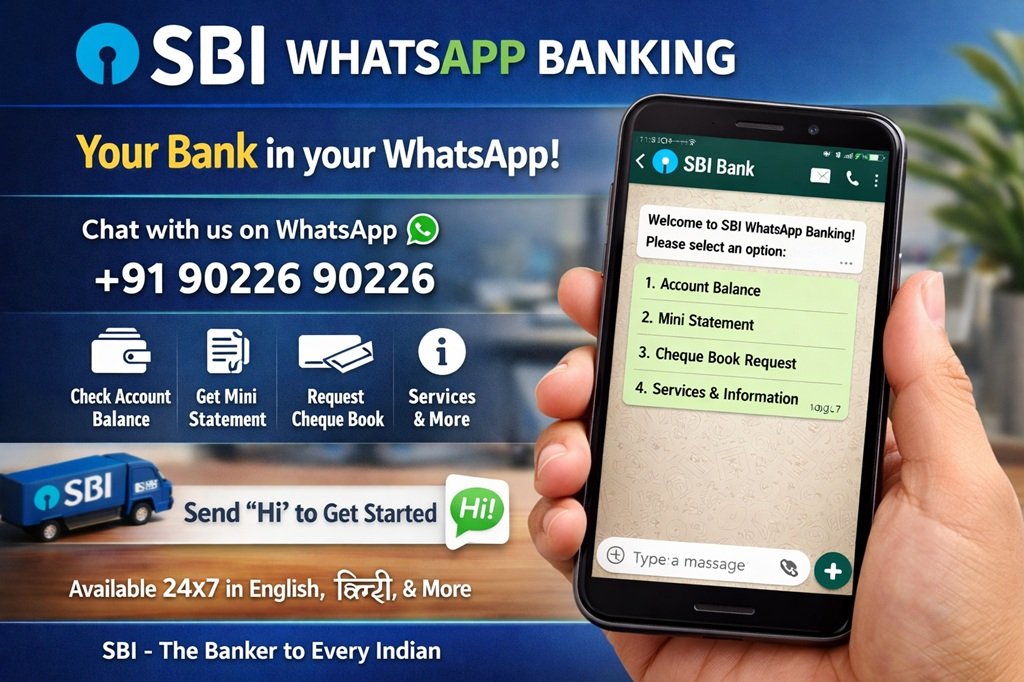
Send a “Hi” from your WhatsApp Number to +919022690226 and follow the instructions given by the Chat-Bot
Alternatively, you can scan QR code given at the SBI Bank website to start WhatsApp Banking.
Note – Make sure your mobile number is the one registered with your SBI savings or current account. If it’s not, head to the nearest branch or use the YONO app to update it.
How to use SBI WhatsApp Banking?
First step: After creating your account, type ‘Hi’ SBI in the number provided by WhatsApp’s bank & follow their instructions. If you’ve received a message, reply to it saying: “Dear Customer, You have been successfully created for SBI WhatsApp Banking service.”
Second step: After sending that message you should receive an automated response saying: “Dear Customer, welcome to SBI WhatsApp Banking service! You may now choose from any of the available services!”
Third step: At this point you can select what other services you would like to use via SBI WhatsApp Banking. Services offered include balance inquiries, mini statements (last 10 transactions), account statements, etc.
Services Available on SBI WhatsApp Banking
Here is the full list –
- Check balance
- Mini statement (up to 10 transactions)
- Account statement (up to 250 transactions)
- Other Statement services ( home loan and Edu loan interest certificate)
- Pension slip service
- Information on Loan products (Home loan, Car loan, Gold loan, Personal loan, Educational loan) – FAQ and Interest rates
- Information on Deposit products (Savings Account, Recurring deposit, Term deposit – Features and Interest rates)
- NRI services (NRE Account, NRO Account) – Features and Interest rates
- Opening of Insta Accounts (Features /Eligibility, Requirements & FAQ)
- Contacts/Grievance redressal helplines
- Pre-approved loan queries (Personal loan, Car loan, Two wheeler loan)
- Digital Banking information
- Promotional offers
- Download banking forms
- Holiday calendar
- Information on debit card usage
- Information on Lost /Stolen Card
- Nearest ATM/Branch locator
Tips and Tricks
To keep things running smoothly, always use your registered number – that’s key. Update your contact list with the official number to avoid any mix-ups. If the chatbot seems slow (rare, but it happens during peak hours), just reply patiently; it’s usually back on track fast.
If you ever want to stop using it, there’s a simple de-register option too. But honestly, once you start, you probably won’t want to!
Security Matters
Now, I know what you’re thinking – “Is it really secure?” Absolutely, and SBI has layered it with solid protections. It only works with your registered mobile number, so random folks can’t access it. The chatbot never asks for sensitive stuff like full passwords or OTPs in plain text. Always double-check you’re chatting with the official number.
SBI uses end-to-end encryption just like regular WhatsApp, plus bank-grade security on their end. Still, follow basic rules: Never share your details with anyone claiming to be from the bank via WhatsApp, and enable two-step verification on your WhatsApp account. It’s all designed to give you peace of mind while you enjoy the convenience.
Comparing SBI WhatsApp Banking with Other Ways to Bank
Sure, you could use missed calls, SMS, the YONO app, or visit an ATM. But SBI WhatsApp Banking often wins for speed and simplicity. Missed calls are great for balance but limited on statements. SMS works, yet it can cost a tiny bit and feels outdated. The app is powerful but needs data and login time.
With SBI WhatsApp Banking, it’s all in one familiar place. No extra downloads, no battery drain from heavy apps. It shines when you’re on the go or have spotty internet. Of course, for big transfers, you might still use net banking, but for quick checks on balance, mini statement, and loan details, this is the winner hands down.
Conclusion
Whew, we’ve covered a lot, haven’t we? From quick balance checks to mini statements and handy loan insights, SBI WhatsApp Banking proves that banking doesn’t have to be complicated or time-consuming. It’s all about giving you back your time and peace of mind so you can focus on what really matters – family, work, or that well-deserved weekend break.
If you haven’t tried it yet, go ahead and save that number today. You’ll thank yourself the next time you need a fast update. SBI WhatsApp Banking isn’t just a service; it’s a smart, friendly companion that fits right into your daily routine. Here’s to simpler banking and fewer worries ahead! If you have your own stories or tips, drop them in the comments – let’s keep the conversation going. Stay safe, stay smart, and happy chatting!

