Blog Page 383

mAadhaar Official UIDAI app – Features & Benefits

Imagine never needing to dig through your wallet or documents just to find your Aadhaar card again. Sounds convenient, right? Well, that’s exactly what the mAadhaar Official UIDAI App brings to the table — a smart, secure, and paperless way to keep your Aadhaar handy, right on your smartphone.

In today’s digital-first world, where everything from banking to government services depends on Aadhaar verification, mAadhaar acts as your trusted digital identity partner. Developed by the Unique Identification Authority of India (UIDAI), this app isn’t just another government app; it’s your personal Aadhaar assistant designed for speed, simplicity, and safety.

Whether you’re updating details, sharing your eKYC, or verifying someone else’s Aadhaar, the mAadhaar app ensures everything happens at your fingertips. Let’s unpack what makes this app a must-have for every Indian citizen.

mAadhaar App

What Is the mAadhaar Official UIDAI App?

The mAadhaar app is the official mobile application launched by UIDAI to give citizens direct access to their Aadhaar details in a digital format. Instead of carrying a physical card everywhere, users can download and store their Aadhaar profile securely within the app.

It’s like having your Aadhaar in your pocket — but smarter and safer. Available for both Android and iOS devices, the mAadhaar Official UIDAI app allows users to:

  • View and download their Aadhaar card instantly

  • Update address or contact details

  • Generate and share eKYC or QR code

  • Lock/unlock Aadhaar to prevent misuse

  • Order a reprint of your Aadhaar card

So, whether you’re boarding a train, opening a bank account, or verifying your identity, mAadhaar ensures your Aadhaar is always accessible and protected.

Key Features of the mAadhaar Official UIDAI App

UIDAI has designed the mAadhaar app with simplicity and functionality in mind. Let’s explore the major features that make this app stand out.

1. Multiple Aadhaar Profiles in One App

You can add up to five Aadhaar profiles (for family members) in one app — perfect for households! This means no need to carry multiple Aadhaar cards physically; everything stays in one secure place.

2. Biometric Locking & Unlocking

Worried about privacy? The biometric lock/unlock feature lets you temporarily disable or enable your Aadhaar biometrics, ensuring nobody can misuse your fingerprint or iris data.

3. Offline eKYC Sharing

No internet? No problem! The offline eKYC feature lets you share your Aadhaar details using an encrypted QR code — completely safe and quick.

4. Aadhaar Reprint Option

Lost your physical card? You can easily order a reprint of your Aadhaar directly from the app and get it delivered to your address via India Post.

5. Real-Time Aadhaar Status Tracking

From updating your address to checking the status of your Aadhaar reprint, everything can be tracked in real-time using mAadhaar.

6. Secure QR Code & VID Generation

Instead of revealing your Aadhaar number, you can generate a VID (Virtual ID) or use a secure QR code for identity verification — protecting your data from misuse.

7. Easy Aadhaar Download

Downloaded Aadhaar PDFs often require you to visit the UIDAI site — not anymore! With mAadhaar, you can download or view your Aadhaar directly within the app.

8. Support for Multiple Languages

The app supports 13 Indian languages, including Hindi, Bengali, Tamil, Marathi, Telugu, and Gujarati — ensuring accessibility for everyone across India.

How to Download and Set Up the mAadhaar Official UIDAI App

Getting started with the mAadhaar app is a breeze. Follow these simple steps:

Step 1: Download the App

Head to the Google Play Store or Apple App Store and search for “mAadhaar – Official UIDAI App.”
Check the developer — it should read “Unique Identification Authority of India” to avoid fake apps.

Step 2: Register Your Mobile Number

Ensure your mobile number is linked with your Aadhaar. You’ll receive an OTP for verification during setup.

Step 3: Create a Profile

Once verified, you can create your Aadhaar profile within the app. This profile will be available offline as well.

Step 4: Set a Strong Password

For added security, set a 4-digit app password — this ensures no one can open your Aadhaar details without permission.

Step 5: Explore the Dashboard

After setup, the app dashboard opens a world of Aadhaar services — from locking biometrics to generating VIDs.

Top Benefits of Using the mAadhaar App

Why should you download the mAadhaar Official UIDAI app? Let’s break down its real-world advantages.

1. Convenience on the Go

Carrying your Aadhaar card everywhere can be a hassle. With mAadhaar, your Aadhaar travels with you — digitally, securely, and conveniently.

2. Enhanced Security

Your data stays encrypted, and with biometric locking and VIDs, no one can misuse your identity.

3. Paperless & Eco-Friendly

The app promotes a paperless India, reducing dependency on physical documents — a small but meaningful step towards sustainability.

4. Quick Verification Anytime

Need to verify your identity at an airport or bank? The QR code in mAadhaar makes the process seamless and lightning-fast.

5. Accessibility in Regional Languages

No language barriers! With 13 languages supported, anyone can use it comfortably.

6. Family-Friendly Utility

You can manage multiple Aadhaar cards from one device, ideal for parents or guardians managing children’s IDs.

7. Free of Cost

Every service on mAadhaar is absolutely free — no hidden fees, no subscriptions, no surprises.

Safety & Privacy: How Secure Is the mAadhaar App?

When it comes to identity, security is non-negotiable. Thankfully, UIDAI has built the mAadhaar app with world-class safety standards.

Here’s how your data stays safe:

  • End-to-End Encryption: All communication between the app and UIDAI servers is fully encrypted.

  • No Third-Party Access: The app doesn’t share data with anyone except UIDAI.

  • App Lock: You can lock the app with a password or fingerprint authentication.

  • Temporary Biometric Lock: Prevents unauthorized use of your Aadhaar biometrics.

  • Virtual ID System: Allows identity verification without revealing your Aadhaar number.

With these layers of protection, your Aadhaar details remain in your control — always.

Practical Uses of the mAadhaar App in Daily Life

You might wonder — “Why should I use it if I already have my Aadhaar card?”

Here’s where mAadhaar makes everyday tasks smoother:

  1. During Travel: Use your digital Aadhaar as a valid ID proof at airports, railways, and hotels.

  2. For Banking: Verify your identity for account opening, KYC, or loan applications.

  3. Government Schemes: Access welfare schemes and subsidies that require Aadhaar verification.

  4. Mobile SIM Activation: Complete KYC quickly using eKYC from mAadhaar.

  5. eSign or Online Verification: Some digital platforms allow Aadhaar-based authentication for signing documents or logging in securely.

Simply put, mAadhaar saves you from paperwork and delays, making identity verification swift and seamless.

Common Problems and How to Fix Them

No app is perfect, right? Here are a few common hiccups users face — and how to solve them.

Issue Possible Reason Solution
OTP not received Mobile number not linked or network issue Ensure your mobile number is registered with Aadhaar and try again
Profile not syncing App update required Update the app or reinstall
QR code not scanning Low brightness or poor camera focus Increase screen brightness or use a better-lit area
App crashing Cache overload Clear cache or restart your phone

A little troubleshooting goes a long way in keeping mAadhaar running smoothly!

Comparison: mAadhaar vs Physical Aadhaar Card

Feature mAadhaar App Physical Aadhaar Card
Portability Always on your phone Must carry physically
Security Biometric lock & password protected Can be lost or damaged
Accessibility Available 24/7 Dependent on possession
Updates Instantly syncs Requires reprint or update
Eco-friendly 100% digital Uses paper & plastic

Clearly, the mAadhaar app takes the lead in flexibility, security, and convenience.

How to Keep Your mAadhaar Safe from Scams

As with all digital tools, awareness is key. Follow these safety practices to stay protected:

  • Download only from official sources (UIDAI listed developer).

  • Never share your OTP or Aadhaar details with anyone.

  • Avoid clicking on random Aadhaar-related links sent via SMS or email.

  • Regularly update your app to the latest version.

  • Use the biometric lock whenever possible.

These steps ensure your digital identity remains under your control — not in the wrong hands.

FAQs 

1. Is mAadhaar an official app?

Yes! It’s developed and managed by UIDAI, the official Aadhaar authority in India.

2. Is it free to use?

Absolutely. All features and services inside the app are completely free.

3. Can I use mAadhaar without linking my mobile number?

No, your Aadhaar must be linked to your mobile number to receive OTPs for verification.

4. Is mAadhaar accepted everywhere?

Yes, it’s accepted as a valid ID proof by government agencies, airports, banks, and telecom providers.

5. What if I lose my phone?

Simply reinstall mAadhaar on your new phone and log in again using OTP authentication.

6. Can I use mAadhaar offline?

Yes! Once your Aadhaar profile is downloaded, you can access it even without the internet.

7. Is my data shared with anyone?

No. UIDAI ensures that your Aadhaar data is private, encrypted, and never shared with third parties.

Conclusion

The mAadhaar Official UIDAI App isn’t just an app — it’s a digital revolution in your pocket. From secure Aadhaar storage and real-time updates to easy verification and multi-language support, mAadhaar simplifies your identity management like never before.

It’s safe, it’s smart, and it’s absolutely essential in today’s digital age. Whether you’re a student, a professional, or a senior citizen — having mAadhaar ensures your Aadhaar is always within reach, anytime, anywhere.

So, if you haven’t downloaded it yet — what are you waiting for? Go ahead, visit the Play Store or App Store, and make your identity digital with the mAadhaar Official UIDAI App today!

What GST input tax credit? How to claim it?

0

Can I avail GST input tax credit benefit? If yes, how to avail it? It is one of the most frequently asked question by business community today. In this post, I will try to answer this question. In addition to that, I will also discuss GST & types of taxes under GST.

What is GST?

GST (Goods and Service Tax) is an indirect tax applicable on goods and services for the entire nation. The aim of GST is to create monolithic market across India. This tax is applicable from 1st July 2017. It is claimed to be a single tax on the supply of goods and services availed, starting from manufacturer to the consumer.

Types of Taxes under GST

There are three types of taxes applicable under GST regime. SGST, IGST, and CGST.

SGST – State GST

SGST is levied by the state government. SGST is applicable on the goods and services sold within the state. In addition to SGST, CGST is also applicable to the goods and services sold within the state.

CGST – Central GST

CGST or Central GST is levied by the central government. CGST is applicable on the goods and services sold within the state.

IGST – Integrated GST

Third types of tax under GST is IGST. IGST or Integrated GST is levied by the central government on the interstate supply of goods and services.

GST Tax types

Example –

Suppose dealer ABC in Gujarat state sold goods of Rs.20000 to another dealer XYZ in the same state. As it is transaction within the same state, SGST and CGST both are applicable. Let us say GST on goods sold is 18% than SGST will be 9% and CGST will be 9%. ABC needs to collect Rs.3600 as tax from XYZ, out of which Rs.1800 will go to the state government and Rs.1800 to the central government.

Now, suppose dealer ABC from Gujarat sold goods to another dealer in Maharashtra state. It will be interstate transaction so, IGST shall be applicable on the transaction.

What GST input tax credit?

Input tax credit is the credit received by the manufacturer towards tax paid for the inputs/raw material used in the manufacturing of products. Similarly, a dealer is also entitled to avail benefit of input tax credit if he/she has purchased goods for resale.

All dealers are liable to pay tax (output tax) on the sales of goods while doing business. Input tax credit helps them in reducing the tax burden, as they can offset the output tax against the input tax paid.

This reduces cascading tax effect of an earlier indirect tax system. Indirectly it will also reduce the final cost of finished goods. Let us understand how ‘cascading’ of taxes was taking place in the earlier system.

Earlier System

For example, to manufacture a pen, the manufacturer requires plastic, refill tube, metal clip, etc. All these ‘inputs’ are chargeable to central excise duty. Once a ‘pen’ is manufactured by using these inputs, the pen is also chargeable to central excise duty. This tax is charged by the Central government. Once this pen is sold to the trader VAT is applicable on the transaction. VAT is charged by the state government. The manufacturer can not use the credit of central excise duty paid on the pen for payment of VAT. As both, these taxes are different and not linked.

GST System

Goods and Services Tax (GST) will provide input tax credit in entire chain and mitigate the cascading effect of an earlier tax system. Under new GST system, all taxes are combined as new single tax. The benefit of input tax credit starting from manufacturing to the consumer shall be applicable.

tax input credit gst

gst input tax credit

How to Claim GST input tax credit?

GST input tax credit can be claimed while you are filing GST return. In this supply chain, GSTR1 will be filed by manufacturer showing outward supply of goods.

The details mentioned in GSTR1 will be populated automatically when Dealer 1 Files GSTR 2 return. The dealer 1 accepts the details reported by the seller. Dealer 1 can claim input tax credit and claim the refund or adjust against output tax liability.

20 Low cost Marketing Ideas for Business

It is a proven fact that marketing idea plays a vital role in the success of any business. The recent example of Reliance JIO is known to everyone, where the freebies marketing strategy helped a lot to capture the existing market from the competitor. However, if you are a small business owner or have started a business with a low investment you may not have a big advertisement or marketing budget.

Marketing Ideas

No worries – Here are 20 Low cost marketing ideas for small businesses. All these marketing ideas are low cost and proven and will surely help you in getting business success.

Also Read – 250 Small Business Ideas with low investment

20 Low-cost Marketing Ideas for Business

Customer Referral Program

The first low-cost marketing idea is to make your own customer referral program. This customer referral program can be used to attract new customers. You can give commission or discount for customer reference. You need to make a system in order to track customer references.

Host Free Event

The second marketing idea is to host a free event. This event may or may not be related to your business. Examples of such events are conferences, seminars, sports events, trade shows, etc. Companies like www.classicexhibits.com/ offer various rentals to help bring your event to life. This strategy is also known as event marketing.

Advertisements at Specific Public Places

The next marketing idea is giving advertisements at a specific public place. The place should be at an open location where many people are visiting daily. An example could be a cafeteria, cinema hall, etc.

Host business award competition

Another marketing idea is to host a business award competition. In this idea, you need to host a competition related to your business.  You need to invite subject matter experts, your competitors, and customers.

Also Read – 10 Best Social Enterprise Business Ideas

Customer Loyalty Program

The next is to start a customer loyalty program. A customer loyalty program can help you to retain old customers. You can decide the time period for customer loyalty starting from one year to five years. You can give away freebies to loyal customers.

SMS Marketing & E-mail Marketing

In order to capture the local market, you can avail services for SMS-based marketing. These type of services are very effective. Another marketing idea is to send an e-mail to the customer. However, e-mail marketing is a cumbersome process and less effective.

Whatsapp Marketing

 Whatsapp marketing is the latest concept in India. On WhatsApp, you can create a group of customers and share product photos and discount offers on WhatsApp. This marketing idea works for well for reaching a teenage customer.

Social Network Marketing

If you are good at using social networking sites, you can create your own Facebook and twitter pages. On this page, you can share your product details, photos, videos, and discount offers. This marketing idea works well in order to increase your reach globally.

Also Read – 6 Attractive Business Loans for Women Entrepreneurs

Freebies

The next marketing idea is to offer freebies to the customer. You can offer free gifts like printed t-shirts with a business logo, or caps to the customer. In India, it is one of the most effective methods to increase your business.

Advertisements on Local Radio

To increase brand awareness advertising on local radio is an excellent marketing idea. You need to make a good advertisement to attract the customer. The cost of local radio advertisement is low.

Rent a booth at a trade show

To increase your business, you can plan to rent a booth at a trade show. The cost of renting a booth is high but it is a very good marketing idea. You can surely increase your business as the majority of customers interested in products are likely to visit the trade show.

Use stickers or magnets to advertise on the car

Another unique marketing idea is to prepare stickers or magnets. This sticker can be pasted at a public place like a shopping mall etc. The magnet can be pasted on your business vehicle and car as marketing material.

Advertise on Local Cable TV

You can also grow your business by giving advertisements about your product or business on local cable TV. This will help you to gain popularity in the local area.

Frequent buyer reward program

The next marketing idea is to formulate a frequent buyer reward program.  Identify your frequent buyer customer and give him/her a reward. This will surely help you to improve customer relations.

Customer of the Month program

You can also think of starting a customer of the month program. In this program every month you can select one customer as a customer of the month and issue him/her a certificate or gift as a customer of the month.

Also Read – 15 Best Home Based Business Ideas

Business Mascot for Brand Promotion

Brand or business promotion can also be done by using a business mascot. You can deploy your business mascot in a public place. The business mascot can be a person, object or animal.

Start your own website/blog

The next marketing idea is to start your own website or blog.  This idea needs technical expertise or an investment of money to design a website or blog. However, it will take a lot of time to gain popularity by using a website or blog.

Buy Ad space on the relevant website

If you are doing online business it is a good idea to buy advertisement space on the relevant website. This idea will surely help you in growing your website traffic and customers.

List your business in the local business directory

The next marketing idea is to list your business in the local business directory. It is a simple but sure-shot way to increase your business.

Support a cause

You can also think of supporting a cause or event, it could be an educational event, seminar, conference, marathon or any other sports event. This is another popular way to gain publicity.

Which marketing ideas you have tried for small businesses?

If you have any great marketing ideas for business, please share them with us.

All India ITR Mobile App for ITR filing

All India ITR

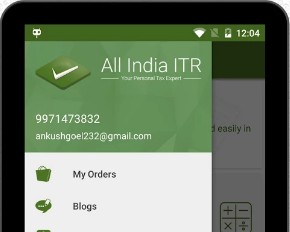
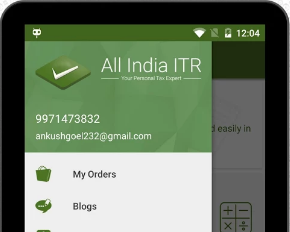
All India ITR (www.allindiaitr.com) has launched a mobile app for ITR filing. All India ITR is a free app that will help you to file your income tax return anywhere and anytime without any hassle. This All India ITR mobile app is available for Android as well for IOS devices. It is developed by All India ITR, authorized intermediately organization between the taxpayers and the government of India. It is a free app that can be downloaded from Google Play store (Android users) or from iOS App Store (Apple users). In this post, I will share key feature and usage of this app or ITR filing.

In this guide, we’ll walk you through everything you need to know about this app: its features, benefits, and why it’s the ultimate tax-filing buddy. So, buckle up!

All India ITR Mobile App

Why You Need the All India ITR Mobile App

Gone are the days of poring over stacks of paperwork or hiring expensive tax consultants. The All India ITR Mobile App is here to revolutionize how you manage your taxes. Here’s why you need it:

  1. Ease of Use: Tax filing can be a daunting process, especially if you’re not a financial expert. This app simplifies it with a user-friendly interface.
  2. Cost-Effective: Forget about shelling out hefty fees to tax professionals. The app offers affordable options for every type of taxpayer.
  3. Time-Saving: Time is money, and this app saves both. With quick steps and automated features, you can file your ITR in minutes.

Now that you know why it’s a game-changer, let’s dive into its features.

Key Features

1. AI-Powered Assistance

Ever wished for a genie to help you with tax filing? The app’s AI-powered system comes pretty close. It offers smart suggestions based on your income, expenses, and investment details. Think of it as your tax advisor that’s available 24/7.

2. Seamless Integration with Government Portals

The app directly integrates with the Income Tax Department’s e-filing portal, ensuring compliance and real-time updates. No more switching between multiple platforms!

3. Pre-Filled Forms

Hate filling out forms? The app fetches your data directly from government databases, providing pre-filled forms for a smooth experience. Just verify, and you’re good to go.

4. Document Storage

Tax documents scattered across your inbox and drawers? The app’s secure storage feature allows you to store and access all your tax-related documents in one place. It’s like having a virtual filing cabinet.

5. Multiple Tax Solutions

Whether you’re a salaried individual, a freelancer, or a business owner, the app caters to everyone. It even supports GST filings and TDS calculations—talk about versatility!

6. Tax Refund Tracking

Filed your ITR and wondering when the refund will hit your account? The app tracks your refund status in real-time, so you’re always in the loop.

All India ITR

How to use All India ITR Mobile App for ITR Filing?

Step -1 – Download and Install All India ITR app from Google Play Store or iTunes.

Step -2 – Open ITR app and click on Create New Account (First time user). Give your e-mail ID, mobile number and password to register.

Step -3 – It will generate OTP for verification. After verification, your account will be created. Login to All India ITR app with username and password.

Step -4 – Click on “Start e-filing” to file your income tax return. You have two option either you can upload Form 16 in pdf or submit documents. The second option of documents comes with cost.

Also Read – Income Tax  Calculator Download

Plus points of All India ITR Mobile App

  • E-filing of ITR gets easier. One can file return anytime, anywhere using mobile phone.
  • Form 16 upload facility gives benefit of auto fill ITR without any error.
  • This app saves time and enhances user experience.
  • Rent Receipt generator will help you to generate rent receipt easily.
  • You can also opt for assisted e-filing.

Minus points of All India ITR Mobile App

  • Internet access and web browser on mobile devices are required.
  • Difficult to upload form 16 and download rent receipt from mobile phone.

Tips for a Hassle-Free ITR Filing Experience

Using the All India ITR Mobile App is a breeze, but here are some pro tips to make the process even smoother:

  • Keep Documents Handy: Before you start, gather documents like Form 16, investment proofs, and bank statements.
  • Review Deductions: Double-check deductions under sections like 80C, 80D, and 80E to maximize savings.
  • File Early: Avoid last-minute stress by filing your ITR well before the deadline.

Conclusion

Tax season doesn’t have to be a nightmare. With the All India ITR Mobile App, you can file your returns quickly, accurately, and without breaking a sweat. Whether you’re a first-time filer or a seasoned taxpayer, this app is designed to cater to your needs. So why wait? Download the All India ITR Mobile App today and take control of your taxes like a pro.

FAQs

1. Is the All India ITR Mobile App free to use? Yes, the app offers free features, but premium services like expert consultations may involve a nominal fee.

2. Can I file ITR for previous years using this app? Absolutely! The app supports filing for previous financial years, subject to government regulations.

3. Is my data safe on the All India ITR Mobile App? Yes, the app uses advanced encryption to ensure your data is secure.

4. Can businesses use this app for GST filing? Yes, the app offers GST filing solutions alongside ITR filing for businesses.

5. What if I need help during the filing process? The app provides 24/7 customer support to assist you at any step of the process.