

Imagine never needing to dig through your wallet or documents just to find your Aadhaar card again. Sounds convenient, right? Well, that’s exactly what the mAadhaar Official UIDAI App brings to the table — a smart, secure, and paperless way to keep your Aadhaar handy, right on your smartphone.
In today’s digital-first world, where everything from banking to government services depends on Aadhaar verification, mAadhaar acts as your trusted digital identity partner. Developed by the Unique Identification Authority of India (UIDAI), this app isn’t just another government app; it’s your personal Aadhaar assistant designed for speed, simplicity, and safety.
Whether you’re updating details, sharing your eKYC, or verifying someone else’s Aadhaar, the mAadhaar app ensures everything happens at your fingertips. Let’s unpack what makes this app a must-have for every Indian citizen.
What Is the mAadhaar Official UIDAI App?
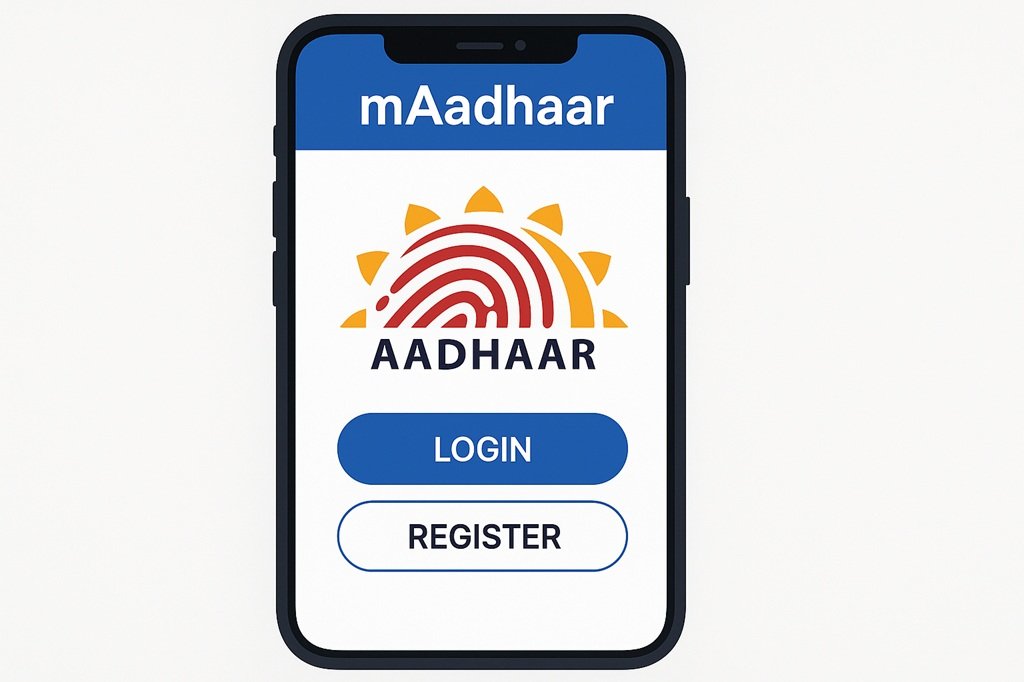
The mAadhaar app is the official mobile application launched by UIDAI to give citizens direct access to their Aadhaar details in a digital format. Instead of carrying a physical card everywhere, users can download and store their Aadhaar profile securely within the app.
It’s like having your Aadhaar in your pocket — but smarter and safer. Available for both Android and iOS devices, the mAadhaar Official UIDAI app allows users to:
-
View and download their Aadhaar card instantly
-
Update address or contact details
-
Generate and share eKYC or QR code
-
Lock/unlock Aadhaar to prevent misuse
-
Order a reprint of your Aadhaar card
So, whether you’re boarding a train, opening a bank account, or verifying your identity, mAadhaar ensures your Aadhaar is always accessible and protected.
Key Features of the mAadhaar Official UIDAI App
UIDAI has designed the mAadhaar app with simplicity and functionality in mind. Let’s explore the major features that make this app stand out.
1. Multiple Aadhaar Profiles in One App
You can add up to five Aadhaar profiles (for family members) in one app — perfect for households! This means no need to carry multiple Aadhaar cards physically; everything stays in one secure place.
2. Biometric Locking & Unlocking
Worried about privacy? The biometric lock/unlock feature lets you temporarily disable or enable your Aadhaar biometrics, ensuring nobody can misuse your fingerprint or iris data.
3. Offline eKYC Sharing
No internet? No problem! The offline eKYC feature lets you share your Aadhaar details using an encrypted QR code — completely safe and quick.
4. Aadhaar Reprint Option
Lost your physical card? You can easily order a reprint of your Aadhaar directly from the app and get it delivered to your address via India Post.
5. Real-Time Aadhaar Status Tracking
From updating your address to checking the status of your Aadhaar reprint, everything can be tracked in real-time using mAadhaar.
6. Secure QR Code & VID Generation
Instead of revealing your Aadhaar number, you can generate a VID (Virtual ID) or use a secure QR code for identity verification — protecting your data from misuse.
7. Easy Aadhaar Download
Downloaded Aadhaar PDFs often require you to visit the UIDAI site — not anymore! With mAadhaar, you can download or view your Aadhaar directly within the app.
8. Support for Multiple Languages
The app supports 13 Indian languages, including Hindi, Bengali, Tamil, Marathi, Telugu, and Gujarati — ensuring accessibility for everyone across India.
How to Download and Set Up the mAadhaar Official UIDAI App
Getting started with the mAadhaar app is a breeze. Follow these simple steps:
Step 1: Download the App
Head to the Google Play Store or Apple App Store and search for “mAadhaar – Official UIDAI App.”
Check the developer — it should read “Unique Identification Authority of India” to avoid fake apps.
Step 2: Register Your Mobile Number
Ensure your mobile number is linked with your Aadhaar. You’ll receive an OTP for verification during setup.
Step 3: Create a Profile
Once verified, you can create your Aadhaar profile within the app. This profile will be available offline as well.
Step 4: Set a Strong Password
For added security, set a 4-digit app password — this ensures no one can open your Aadhaar details without permission.
Step 5: Explore the Dashboard
After setup, the app dashboard opens a world of Aadhaar services — from locking biometrics to generating VIDs.
Top Benefits of Using the mAadhaar App
Why should you download the mAadhaar Official UIDAI app? Let’s break down its real-world advantages.
1. Convenience on the Go
Carrying your Aadhaar card everywhere can be a hassle. With mAadhaar, your Aadhaar travels with you — digitally, securely, and conveniently.
2. Enhanced Security
Your data stays encrypted, and with biometric locking and VIDs, no one can misuse your identity.
3. Paperless & Eco-Friendly
The app promotes a paperless India, reducing dependency on physical documents — a small but meaningful step towards sustainability.
4. Quick Verification Anytime
Need to verify your identity at an airport or bank? The QR code in mAadhaar makes the process seamless and lightning-fast.
5. Accessibility in Regional Languages
No language barriers! With 13 languages supported, anyone can use it comfortably.
6. Family-Friendly Utility
You can manage multiple Aadhaar cards from one device, ideal for parents or guardians managing children’s IDs.
7. Free of Cost
Every service on mAadhaar is absolutely free — no hidden fees, no subscriptions, no surprises.
Safety & Privacy: How Secure Is the mAadhaar App?
When it comes to identity, security is non-negotiable. Thankfully, UIDAI has built the mAadhaar app with world-class safety standards.
Here’s how your data stays safe:
-
End-to-End Encryption: All communication between the app and UIDAI servers is fully encrypted.
-
No Third-Party Access: The app doesn’t share data with anyone except UIDAI.
-
App Lock: You can lock the app with a password or fingerprint authentication.
-
Temporary Biometric Lock: Prevents unauthorized use of your Aadhaar biometrics.
-
Virtual ID System: Allows identity verification without revealing your Aadhaar number.
With these layers of protection, your Aadhaar details remain in your control — always.
Practical Uses of the mAadhaar App in Daily Life
You might wonder — “Why should I use it if I already have my Aadhaar card?”
Here’s where mAadhaar makes everyday tasks smoother:
-
During Travel: Use your digital Aadhaar as a valid ID proof at airports, railways, and hotels.
-
For Banking: Verify your identity for account opening, KYC, or loan applications.
-
Government Schemes: Access welfare schemes and subsidies that require Aadhaar verification.
-
Mobile SIM Activation: Complete KYC quickly using eKYC from mAadhaar.
-
eSign or Online Verification: Some digital platforms allow Aadhaar-based authentication for signing documents or logging in securely.
Simply put, mAadhaar saves you from paperwork and delays, making identity verification swift and seamless.
Common Problems and How to Fix Them
No app is perfect, right? Here are a few common hiccups users face — and how to solve them.
| Issue | Possible Reason | Solution |
|---|---|---|
| OTP not received | Mobile number not linked or network issue | Ensure your mobile number is registered with Aadhaar and try again |
| Profile not syncing | App update required | Update the app or reinstall |
| QR code not scanning | Low brightness or poor camera focus | Increase screen brightness or use a better-lit area |
| App crashing | Cache overload | Clear cache or restart your phone |
A little troubleshooting goes a long way in keeping mAadhaar running smoothly!
Comparison: mAadhaar vs Physical Aadhaar Card
| Feature | mAadhaar App | Physical Aadhaar Card |
|---|---|---|
| Portability | Always on your phone | Must carry physically |
| Security | Biometric lock & password protected | Can be lost or damaged |
| Accessibility | Available 24/7 | Dependent on possession |
| Updates | Instantly syncs | Requires reprint or update |
| Eco-friendly | 100% digital | Uses paper & plastic |
Clearly, the mAadhaar app takes the lead in flexibility, security, and convenience.
How to Keep Your mAadhaar Safe from Scams
As with all digital tools, awareness is key. Follow these safety practices to stay protected:
-
Download only from official sources (UIDAI listed developer).
-
Never share your OTP or Aadhaar details with anyone.
-
Avoid clicking on random Aadhaar-related links sent via SMS or email.
-
Regularly update your app to the latest version.
-
Use the biometric lock whenever possible.
These steps ensure your digital identity remains under your control — not in the wrong hands.
FAQs
1. Is mAadhaar an official app?
Yes! It’s developed and managed by UIDAI, the official Aadhaar authority in India.
2. Is it free to use?
Absolutely. All features and services inside the app are completely free.
3. Can I use mAadhaar without linking my mobile number?
No, your Aadhaar must be linked to your mobile number to receive OTPs for verification.
4. Is mAadhaar accepted everywhere?
Yes, it’s accepted as a valid ID proof by government agencies, airports, banks, and telecom providers.
5. What if I lose my phone?
Simply reinstall mAadhaar on your new phone and log in again using OTP authentication.
6. Can I use mAadhaar offline?
Yes! Once your Aadhaar profile is downloaded, you can access it even without the internet.
7. Is my data shared with anyone?
No. UIDAI ensures that your Aadhaar data is private, encrypted, and never shared with third parties.
Conclusion
The mAadhaar Official UIDAI App isn’t just an app — it’s a digital revolution in your pocket. From secure Aadhaar storage and real-time updates to easy verification and multi-language support, mAadhaar simplifies your identity management like never before.
It’s safe, it’s smart, and it’s absolutely essential in today’s digital age. Whether you’re a student, a professional, or a senior citizen — having mAadhaar ensures your Aadhaar is always within reach, anytime, anywhere.
So, if you haven’t downloaded it yet — what are you waiting for? Go ahead, visit the Play Store or App Store, and make your identity digital with the mAadhaar Official UIDAI App today!

