

Apple Pay is one of the most highly discussed payment solutions for Apple customers throughout the world. Its launch in India has received significant attention from customers in the country. Indian owners of iPhones have been eagerly waiting to be able to perform contactless payment transactions without having to use a physical card.
In India, with Apple Pay, the customer may add eligible debit and credit cards to their Apple Wallet app and make payments with their compatible Apple devices at contactless payment terminals through a process that should not take much time and is protected with the help of authentications through Face ID, Touch ID, and device passcodes.
India is a special case in terms of digital payments. People use UPI not only for payments at shops and restaurants but also when transferring funds between their bank accounts. This leads to a critical question – how does Apple Pay fit into India’s highly-developed digital payment system?
In this article, we will give you information about Apple Pay in India, its functioning, requirements to use the service, places where you can pay using Apple Pay, its security, and comparison of this service with other payment services like UPI and card payments.
This article will provide all the information for those users of iPhone or Apple watch who are looking for information about Apple Pay service.
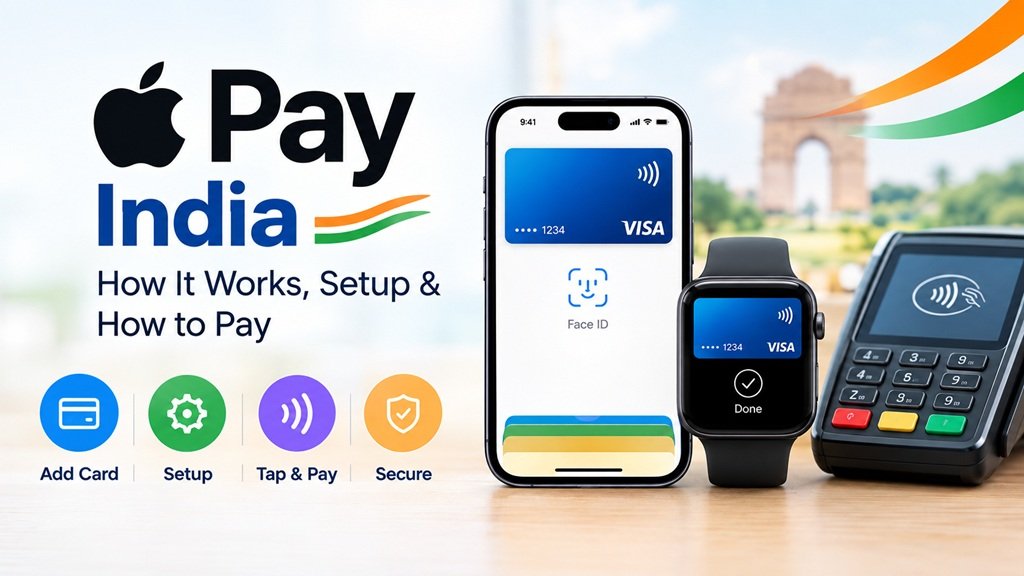
What Is Apple Pay?
Apple Pay is like the digital version of the cards stored in your wallet. The eligible credit or debit cards are added to the Wallet app in your Apple device. Then when the time to pay comes, all you have to do is place your phone or watch close to the payment terminal and authenticate the payment using Face ID, Touch ID or the passcode of the device. In just a few seconds, you will be done with the payment. It’s that simple—you won’t have to fish out your physical card and look for money.
The service does not transfer the real number of your credit/debit card to the merchant or store where you are making payments. What it sends instead is the special device-specific number together with the transaction code to ensure that your actual credit or debit card information stays protected. This additional security measure is among the reasons why contactless payments are considered safer compared to physical payments in crowded counters.
According to Apple, this means that you can pay in person at stores, using apps, or online without constantly having to type in card details or OTP. Your payments will be authenticated by your device directly, thus making the whole procedure fast and easy. Everyone who has had to wait for an OTP from the bank while standing in front of the checkout understands what this means!
Which Banks And Cards Work Right Now?
Axis Bank
The bank that is considered to be the third largest private sector lending bank of the country is Axis Bank. Currently, only those credit cards of Axis Bank that are issued on the Visa and MasterCard network are available for use.
This implies that merely having an Axis Bank card will not do. According to the report, those credit cards of Axis Bank that are on some other network will not appear in Apple Wallet.
Missing So Far
A few of the big players are not included so far. HDFC Bank, ICICI Bank and SBI Card will not support the service when it is initially launched as the negotiations over the business terms go on. Additionally, there is no support for RuPay and for American Express cards.
If your primary card is issued by one of the above banks, you have to wait. Apple has adopted an approach of bank-by-bank inclusion in other countries, which means that there is a chance that more banks will be added over time. However, “chance” is not a guarantee.
A Quick Summary Of Supported vs. Not Supported
- Supported: eligible Axis Bank credit cards on Visa and Mastercard
- Not supported at launch: HDFC Bank, ICICI Bank and SBI Card
- Not supported at launch: RuPay and American Express
- Not supported at launch: UPI
What Do You Need Before You Start?
Before you dive in, run through this short checklist:
A device that supports Apple Pay
For using Apple Pay, you need a compatible Apple device, which includes iPhone, iPad, or even the Apple watch. The service is designed in such a manner that it works throughout different devices of Apple, enabling you to make contactless payments in all those places where the service is available. Moreover, Apple has confirmed that Macs will also get the Apple Pay support in near future.
A valid card
Another criterion for using Apple Pay is to have a card which is supported by Apple Pay. In the case of the registration process outlined in this article, the eligible cards include those which are issued by Axis Bank on Visa and Mastercard.
Face ID, Touch ID or Device Passcode
The Apple Pay system makes use of the security features that already exist in the Apple devices to secure payment processes. On your Apple device, you will have to use either the Face ID, Touch ID or device passcode depending on the kind of device you have in order to secure a transaction process.
An Apple Account logged in on your device
To be able to use your Apple Pay card successfully, you have to sign in to your Apple Account in your device. It is very important to note that all Apple services are associated with both your device and Apple account.
An updated operating system
It is recommended that users keep their iPhones, iPads, or Apple Watches updated for using all new features of Wallet and payments. To check whether an update is necessary, go to Settings -> General -> Software Update.
A functioning internet connection
When setting up a card and verifying it via the bank, users may need to have a functioning internet connection available. Wi-Fi or cellular network would do. In particular, a working internet connection becomes very helpful when verifying the card, since any interruption during verification will lead to its failure or even restarting the procedure.
How To Pay With Apple Pay: Step-By-Step
After the eligible card is added to your Apple Wallet, using Apple Pay becomes quite simple. You need to make the payment at a terminal that supports contactless payments by using your iPhone or Apple Watch, rather than taking out your card. The procedure of making the payment with Apple Pay involves authenticating the payment with Face ID, Touch ID, or passcode of the device.
Step 1: Find the Contactless Symbol – NFC
Before making the payment, it is necessary to check if the merchant accepts contactless payments and the payment network of your card.
It should be kept in mind that the merchant must support contactless payments and the payment network of your card.
Step 2: Open Apple Pay
n order to open Apple Pay, you need to double-click the side button for an iPhone with Face ID. Default card will appear on the screen.
For an iPhone with Touch ID, the Home button needs to be double-clicked.
Step 3: Authorize the Payment
To authenticate the payment with your iPhone, Face ID can be used. Alternatively, you can authorize the payment by placing your finger on the Touch ID or entering passcode if needed.
Authorization implies that you authorize the payment. Payment information is not sent until authentication is done.
Step 4: Select a Different Card
The default card is supposed to come up automatically. In case you want to make payment using a different card, select one from those listed in Wallet.
It is important when you have several cards saved in Apple Wallet.
Step 5: Place the Top of Your iPhone Close to the Payment Terminal
Immediately after authorization is complete, put the top of your phone close to the contactless payment terminal.
Wait for the payment terminal and your iPhone to verify the transaction process. This is indicated by the appearance of a checkmark and “Done.”
Step 6: Verify Your Payment
After making the payment, you can verify the transaction using your card or banking app. Information about the transaction may be available from Wallet, depending on the card issuing institution and the market.
What About UPI?
As of now it is not UPI enabled. There was a suggestion stating that UPI would require a separate NPCI approval and a sponsor bank; thus, it is expected to follow afterwards, if ever from the very beginning. No date has been promised. Does that mean that the new system will be of no use? Not really, but it will only be complementary. You can still rely on UPI to handle your everyday transactions, whereas contactless cards using your mobile device will work well for larger sums, online purchases and those who enjoy their credit card loyalty programs.
And yes, this is a real benefit, as paying with your credit card usually provides you with reward points, cash back or miles and sometimes UPI cannot provide you with that.
Frequently Asked Questions
Is Apple Pay available in India right now?
Yes! It’s available on iPhone, iPad and Apple Watch from September 30, 2026 and Mac availability will come later. Initially, only certain cards will be available with the service.
Which cards can I add?
Only eligible Axis Bank cards in Visa and Mastercard networks can be added initially. No support will be there for RuPay cards or American Express cards and HDFC Bank, ICICI Bank and SBI cards won’t be available at the launch.
Are debit cards supported?
It has always been said as a coverage of only eligible credit cards, so don’t expect a debit card to work at the start. It’s better to visit the bank’s official website or app for checking the compatibility of your cards with Apple Pay.
Do I need to enter OTP/PIN while paying?
According to Apple, it isn’t necessary. The point is to use Face ID/Touch ID or Passcode as the replacement of PIN and OTP.
Does Apple Pay support UPI?
It doesn’t support UPI. It has to be approved separately and a timeline has not been revealed.
Will more banks join later?
Almost certainly, considering Apple tends to do things step-by-step, launching one bank at a time. Discussions are allegedly going on between Apple and the rest of them, although nothing is confirmed officially for now.
Where can I use it?
At partner brands, like Croma, Blinkit, Chaayos, Zomato, Ixigo, and Tata 1mg. Also, at the Apple Store and all merchants that accept contactless payments – in such cases, the terminal needs to support them.
What if my phone is lost or stolen?
Activate Find My to either erase or lock the device, inform the bank about it as soon as possible to freeze the card, and also use the payment method only in conjunction with Face ID or Touch ID/passcode for extra security.
Should You Switch Today?
It all depends on your wallet. If it includes the compatible Axis Bank card, then why not try it, as you will spend only a couple of minutes on the setup process. If your cards belong to HDFC, ICICI, or SBI, it would be better to wait a little longer, as something good could happen shortly.
Conclusion
As we conclude, the introduction of Apple Pay in India is a positive development for iPhone users who would like to make use of the convenience of the tap and pay function of Apple Pay. It must be noted that Apple Pay is still quite limited with regard to its current roll-out, and support is only for Axis Bank credit cards eligible for Visa and Mastercard.
Nonetheless, this is a good start. For those with an eligible card, adding the card to Apple Wallet and using Apple Pay in a supported contactless terminal or online merchant can be tried out by anyone who wants to make use of their services.
Even for banks that are currently unsupported, this should not discourage the user from using Apple Pay since additional banks will soon integrate into Apple Pay. This could significantly increase the variety of payment options available for users in India.

