

Aadhaar is one of the most important documents for identity verification in India. You will need Aadhaar card for most of financial transactions such as opening bank account, KYC, SIM card application and lot others. As Aadhaar is used extensively, the biometric associated with Aadhaar such as iris scan, fingerprints and facial data can be misused. To prevent misuse of these data, the Unique Identification Authority of India (UIDAI) offers a Biometric Lock/Unlock feature that lets Aadhaar holders’ control exactly when their biometric data can be used for authentication. It is called as Aadhaar Biometric Lock Unlock Facility.
If you have locked the biometric data of your Aadhaar card for safety reasons and now require its usage, for example, at a bank or while connecting a new SIM card, then this article is a perfect help manual for unlocking your biometric data of your Aadhaar card.
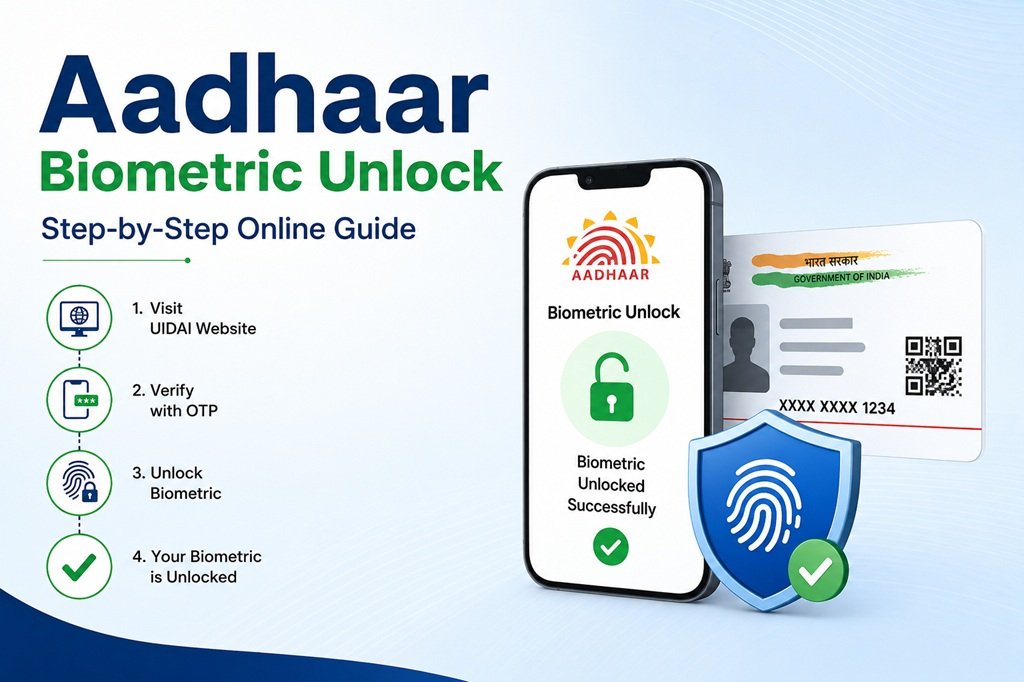
What Is Aadhaar Biometric Lock/Unlock?
Aadhaar Biometric Lock facility comes at zero cost to you from the UIDAI and allows you to block the usage of fingerprint, iris, or facial recognition authentication against your Aadhaar number. With biometric lock:
- Anyone – including yourself – will not be able to authenticate using fingerprints or iris against your Aadhaar
- The OTP authentication method and demographic authentication will still function as usual
- Your Aadhaar number and other demographic information will be absolutely unaffected
- Biometrics can always be unlocked when needed
Consider it to be like an automatic safety lock. UIDAI suggests that one should keep one’s biometrics locked by default, but unlocks them only during the period when biometric authentication is needed; afterwards, they get locked automatically.
The significance of such a feature has increased in light of numerous incidents of fraud committed through Aadhaar. These include AEPS transactions where stolen or duplicated fingerprints are used to commit the fraud. With crores of Aadhaar numbers being scrutinized and blocked to avoid misuse, UIDAI now encourages biometric locking.
Why You Need to Unlock Aadhaar Biometrics
Unlocking of your biometric data is required in cases like:
- Opening a new bank account or performing biometric based e-KYC
- Performing AEPS transactions through the banking correspondent
- Buying a new SIM card through biometric verification
- Application for LPG, PDS ration, pension scheme
- Services which verify your identity through fingerprint/iris scan services
- Biometric authentication of your data for any other purpose requested by the agency.
As biometric authentication can only be done after unlocking your data, it is a prerequisite process.
Here’s what you should have ready for unlocking or locking your Aadhaar biometrics:
- Your 12 digit Aadhaar Number or 16 digit Virtual ID – It is suggested that you use your virtual ID rather than your Aadhaar Number for more security because your Aadhaar Number is not exposed using VID.
- A registered mobile number – This is compulsory, because OTP will be required for any request to unlock your Aadhaar biometrics and you cannot proceed until you register a mobile number with your Aadhaar Number. If you do not have a mobile number linked with your Aadhaar, then you will have to go to the nearest Enrolment Center/Aadhaar Seva Kendra (ASK).
- Internet access – It will be mandatory for unlocking your Aadhaar biometrics through either UIDAI website or mAadhaar application.
Unlock Aadhaar Biometrics via the myAadhaar Portal (UIDAI Website)
The website myAadhaar (myaadhaar.uidai.gov.in) is the most commonly used portal to unlock biometrics online. The following is how one should go about unlocking biometrics online:
Step 1: Log on to UIDAI’s official website myaadhaar.uidai.gov.in.
Step 2: On the homepage, locate the “Aadhaar Services” category and click on “Lock/Unlock Biometrics” or go to the website for Aadhaar Lock and Unlock Service directly.
Step 3: Insert your Virtual ID (VID) and not your Aadhaar number as this specific service requires the use of the VID for unlocking biometrics, along with your full name, as per your Aadhaar document, and the captcha/security code.
Step 4: Click on “Send OTP.” A One Time Password will be received by your Aadhaar registered mobile number.
Step 5: Enter the OTP to validate yourself and choose the “Unlock” option to unlock biometrics.
Step 6: Upon verification, your biometrics will be unlocked temporarily for around 10 minutes before the system locks it again automatically for your own safety.
This feature of automatic re-locking of biometric information is intentionally included for security purposes.
Unlock Aadhaar Biometrics via the mAadhaar App
mAadhaar – the official app provided by UIDAI, gives an easy way to lock/unlock biometrics on the move – most useful when you are already at a bank or service center.
Step 1: Install and launch mAadhaar app (available both on Google Play Store and Apple App Store) and login to the app using your 4-digit/6-digit app PIN.
Step 2: Select “My Aadhaar” tab from the bottom toolbar.
Step 3: Find out “Biometric Settings” option – which is mostly located by pressing a menu button (three dots) on the top-right corner of the profile page.
Step 4: Choose “Unlock Biometrics” option and confirm the action. In some versions of the app, you might need one more OTP verification.
Step 5: Your biometrics will stay unlocked for a while (usually about 10 minutes), after that they will lock automatically.
Latest versions of mAadhaar app give the possibility to use a “One-Click Unlock” button placed on the dashboard for registered profiles. This feature is quite helpful for those, who need to unlock biometrics frequently (for example, for AEPS transactions).
Unlock Aadhaar Biometrics via SMS
If you live in an area where the internet’s not very good the Unique Identification Authority of India also known as UIDAI has a service that lets you lock and unlock your biometrics by sending a message to the toll-free number 1947. To use this service you need to have your Virtual ID, which is also known as VID.
If you do not have your Virtual ID you need to get it. Here is what you have to do:
Send a message to 1947 with the following words:
GETOTP and the last 4 digits of your Aadhaar number.
You will get a code, known as OTP on your phone. Then you have to send another message that says:
RVID and the last 4 digits of your Aadhaar number and the special code you just got.
You will get your ID or VID on your phone through a message.
Now that you have your Virtual ID you can unlock your biometrics.
To do this you have to follow these steps:
Step 1 is to send a message to 1947 that says GETOTP so you can get a code.
Step 2 is to send another message to 1947 with the following words:
UNLOCKUID and the last 6 digits of your ID and the special 6-digit code you got.
Step 3 is when you get a message, from the Unique Identification Authority of India or UIDAI telling you that your biometrics are now unlocked.
Conclusion
Using Aadhaar unlock is really easy and it does not cost you anything. It is also a secure process. This process is made so that you have control over your biometric data. You get to decide when and how your biometric data is used to verify who you are.
You can use the myAadhaar website, the mAadhaar app or the service that uses SMS messages for places where the internet is not very strong. The people, at UIDAI have made all these ways available so that you can unlock your Aadhaar biometrics quickly when you really need to. Then they automatically lock again so your identity is safe.
There are a lot of cases where people are cheating others using Aadhaar. So it is an idea to keep your Aadhaar biometrics locked all the time and only unlock them when you really need to use them. This is an effective way to keep your digital identity safe.

