

Have you ever felt frustrated carrying around your physical Aadhaar card or worrying about sharing your full details every time you need to verify your identity? Well, those days might be over soon. The Unique Identification Authority of India, or UIDAI, has just rolled out a brand-new mobile app that’s changing how we handle Aadhaar verifications. It’s all about making things easier, safer, and quicker for everyday folks like you and me. In this detailed guide, I’ll walk you through everything about this new app – from what it is, to how it works, and why it’s a big deal. We’ll cover the launch details, step-by-step instructions, extra tips, and even some common questions people are asking. Let’s dive in and make sense of it all in simple terms.
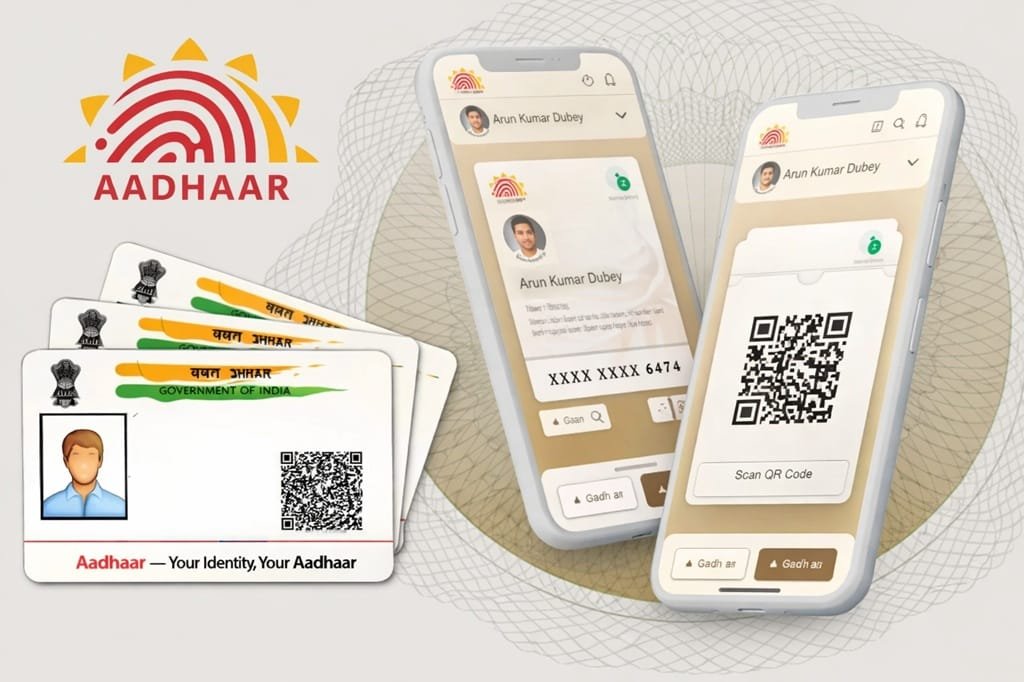
A Quick Background on New Aadhaar App and Why This New App Matters
Before we get into the nitty-gritty, let’s step back a bit. Aadhaar started back in 2009 as a way for the Indian government to give every resident a unique 12-digit ID number. It’s linked to your biometrics like fingerprints and iris scans, plus basic info like your name, address, and date of birth. Over the years, Aadhaar has become super important for things like opening bank accounts, getting subsidies, filing taxes, or even booking train tickets. But there have been issues too – like privacy concerns, data leaks, and the hassle of carrying photocopies everywhere.
That’s where this new Aadhaar app comes in. It’s not just an update; it’s a fresh start designed with today’s needs in mind. Think of it as your digital wallet for identity proofs. No more risking your full Aadhaar number getting into the wrong hands. Instead, you control what you share, when you share it, and how. The app builds on ideas from the Digital Personal Data Protection Act (DPDP), which is all about keeping your personal info safe and minimal. In a country as big as India, with over a billion people using Aadhaar, this could make life a lot smoother for families, workers, and businesses alike.
When Was the New Aadhaar App Launched?
The big day was January 28, 2026. That’s when Minister of State for Commerce and Industry and Electronics & Information Technology, Shri Jitin Prasada, officially dedicated the app to the nation. It was a proud moment for UIDAI, the body that runs Aadhaar. During the event, the minister praised UIDAI for making services hassle-free and seamless. He called Aadhaar a “digital governance showpiece” for the government, highlighting how this app will speed up secure verifications.
Other top officials chimed in too. S. Krishnan, Secretary of the Ministry of Electronics and Information Technology (MeitY), talked about how the app promotes “data minimisation” – meaning you only share what’s absolutely needed. Neelkanth Mishra, Chairman of UIDAI, said it’s a huge step from paper-based systems to fully digital ones, always keeping people at the center. And Bhuvnesh Kumar, CEO of UIDAI, explained the tech behind selective sharing, ensuring no unnecessary data gets stored by others.
This launch fits into India’s bigger push for digital public infrastructure. It’s about trust, inclusion, and empowerment. If you’ve been using the old mAadhaar app, this is the upgrade you’ve been waiting for. And if you’re new to digital Aadhaar, it’s a great time to start.
What Exactly Is the New Aadhaar App?
In simple words, the new Aadhaar app is a free mobile application made by UIDAI. It’s available for both Android and iOS phones. The main goal? To let you verify your identity digitally without always needing the internet, a physical card, or sharing your full Aadhaar number. It’s like having a smart, secure version of your Aadhaar in your pocket.
Unlike the older mAadhaar app, which was mostly for storing your details, this one focuses on real-world uses. You can do things like prove your age at a movie theater, check into a hotel, or verify yourself as a gig worker – all without handing over photocopies. It uses cool tech like face recognition and QR codes to keep things private and quick.
Here’s a breakdown of what makes it stand out:
- Digital and Offline Verification: Works even in areas with poor signal.
- Consent-Based Sharing: You decide what info to share – maybe just your name and photo, not the whole number.
- Family-Friendly: Manage up to five profiles on one phone, perfect for households.
- Updates On the Go: Change your mobile number or address right from the app, no need to visit a center.
It’s built for everyone – from tech-savvy youngsters to elders who might need simple interfaces. UIDAI says it’s resident-centric, meaning it’s designed with your convenience and privacy first.
Key Features of the New Aadhaar App Explained in Detail
The app is packed with features that make it more than just a digital card holder. Let’s go through them one by one, with examples to show how they work in real life.
- Face ID-Based Authentication: This is like unlocking your phone with your face, but for Aadhaar. You scan your face to prove it’s really you. Useful for things like hospital visits where they need to confirm your presence. No more waiting for OTPs if your signal is weak.
- QR-Based Offline Verification: Generate or scan QR codes to share details without internet. For example, at a hotel check-in, the receptionist scans your QR, and boom – your basic info is verified without them seeing your full Aadhaar number.
- Selective Data Sharing: This is a game-changer. You can create custom shares for different needs. Say you’re applying for a job; share only your name, age, and address. It follows DPDP rules, so verifiers don’t store your data long-term.
- Biometric Lock and Unlock: With one tap, lock your biometrics to prevent misuse. Unlock when needed. Great if you lose your phone – your Aadhaar stays safe.
- Authentication History: See a log of when and where your Aadhaar was used. Helps spot any funny business early.
- QR-Based Contact Card: Share your contact details easily via QR, without typing everything out.
- Multi-Profile Management: Add up to five family members’ Aadhaars. Imagine a parent managing kids’ verifications for school or travel – all in one app. This “One Family – One App” idea saves time and reduces clutter.
- In-App Updates: Update your mobile number or address directly. More features like email updates might come soon.
- Advanced Security Layers: Encrypted data, no storage of full Aadhaar by others, and compliance with privacy laws. It’s designed to cut down on fraud.
These features aren’t just fancy add-ons; they’re solving real problems. For gig workers like delivery folks, quick verifications mean less downtime. For seniors, offline options mean no tech barriers.
How to Download and Set Up the New Aadhaar App: Step-by-Step Guide with Tips
Getting started is straightforward, but I’ll add some extra tips to make it smooth.
Step 1: Head to Your App Store
- Open Google Play Store on Android or Apple App Store on iOS.
- Search for “Aadhaar App” or “UIDAI Aadhaar.”
- Tip: Look for the developer name “UIDAI” to avoid fake apps. There are scams out there, so double-check.
Step 2: Download and Install
- Hit “Install” and wait for it to download. It’s free and not too big – around 50-100 MB depending on your device.
- Tip: Make sure your phone has enough space and is updated to the latest OS for best performance.
Step 3: Open the App and Authenticate
- Launch the app. You’ll need to enter your Aadhaar number or use an OTP sent to your registered mobile.
- For first-time setup, you might do a face scan or fingerprint if your phone supports it.
- Tip: If your mobile isn’t linked, visit a nearby Aadhaar center first. It’s quick.
Step 4: Set a PIN
- Create a strong PIN (not your birthday!). This protects your app.
- Tip: Enable app lock on your phone for extra security.
Step 5: Add Profiles if Needed
- Go to the family section and add up to four more Aadhaars. Each needs authentication.
- Tip: This is handy for joint families, but remember, the phone owner is responsible.
Once set up, explore the dashboard. It’s user-friendly with big icons and clear labels. If you run into issues, UIDAI has a helpline at 1947.
Verifying Your Aadhaar Without Internet: Easy Ways to Do It
One of the coolest things about this app is offline mode. No Wi-Fi? No problem. Here’s how.
Method 1: Using QR Codes
- Open the app and select “Offline Verification” or “QR Scan.”
- Point your camera at the QR provided by the verifier (like a bank or hotel).
- The app checks the details instantly and confirms.
- Example: At a remote village clinic, scan their QR to prove your identity for medicine subsidies.
Method 2: Share ID Option
- Generate a password-protected file with only the needed info.
- Share it via Bluetooth or email.
- The receiver enters the password to view limited details.
- Tip: Set a strong password and delete the file after use to stay safe.
These methods cut down on paper waste and speed things up in low-connectivity areas like rural India or during travel.
Switching from the Old mAadhaar App to the New One: A Smooth Transition
If you’re already on mAadhaar, don’t worry – switching is easy.
Step 1: Download the New App
- Get it from the store, as above. You can keep mAadhaar for now or uninstall it later.
Step 2: Log In with Old Credentials
- Use your Aadhaar number and mAadhaar PIN, or opt for OTP.
- Tip: If you forgot your PIN, reset it in the old app first.
Step 3: Biometric Check
- Do a quick face or fingerprint scan to verify.
Step 4: Set New PIN
- Choose a fresh one for the new app.
Step 5: Transfer Profiles
- If you had family profiles, they’ll migrate over.
After switching, you’ll notice the new app is faster and has more privacy tools. UIDAI recommends everyone moves over eventually, as the old one might get phased out.
Updating Your Mobile Number in the New Aadhaar App
Tired of visiting Aadhaar centers? Now you can update your phone number right in the app.
Step 1: Log In
- Open the app and enter your PIN.
Step 2: Go to Updates
- Find “Update Aadhaar Details” on the home screen. Pick “Mobile Number.”
Step 3: Enter New Info
- Type in the new number and submit. Authenticate with OTP or biometrics.
Step 4: Pay the Fee
- There’s a small charge (around Rs. 50). Pay via UPI or card.
Step 5: Wait for Confirmation
- It processes in a few days. You’ll get a notification.
Tip: Keep your old number active until the update is done, as OTPs might go there. This feature saves time, especially if you change SIMs often.
You can also update your address similarly. UIDAI plans to add more like photo changes soon.
The Many Benefits of Using the New Aadhaar App
Why bother downloading yet another app? Here are the perks, explained with real-life angles.
- No More Physical Cards: Leave your wallet lighter. Everything’s digital.
- Better Privacy: Masked details mean less risk of identity theft. No full numbers shared.
- Speedy Verifications: Seconds instead of minutes for checks at airports, banks, or jobs.
- Offline Access: Perfect for travel or rural areas where internet is spotty.
- Family Convenience: One app for the household reduces phone clutter.
- Eco-Friendly: Less paper photocopies, better for the environment.
- Government Support: It’s official, so you know it’s reliable and free from ads.
- Fraud Reduction: Logs and locks help you monitor and protect your data.
- Ease for Businesses: Verifiers like hotels or employers get quick, secure checks without storing data.
- Future-Proof: Aligns with DPDP Act, so it’s ready for stricter privacy laws.
Overall, it empowers you – the user – with control. In a digital world, that’s huge. For example, gig economy workers can verify faster, leading to more jobs. Families can handle school admissions without trips to centers.
Potential Drawbacks and How to Handle Them
No app is perfect, right? Some folks might worry about tech glitches or data security. But UIDAI has strong encryption, and updates fix bugs quickly. If your phone is old, it might not support face ID – stick to OTPs then. Also, not all services accept digital verifications yet, but that’s changing fast.
Tip: Back up your phone regularly, and report issues via the app’s feedback or helpline.
Frequently Asked Questions
People have lots of questions since the launch. Here are expanded answers based on common ones.
What’s the main difference between mAadhaar and the new Aadhaar app?
mAadhaar was basic – mostly for viewing and storing your card. The new one adds offline verifications, face auth, selective shares, and family profiles. It’s more about using Aadhaar daily, with extra privacy.
Can I update my address in the new app?
Yes! Similar to mobile updates. Just go to the updates section, enter new details, authenticate, and pay the fee. It’s processed online in most cases, saving you a trip.
What if I don’t have a smartphone?
The app needs a phone, but you can still use physical Aadhaar or centers. UIDAI might add web versions later.
Is the app safe from hackers?
UIDAI uses top encryption and doesn’t store full data with verifiers. Lock features add layers. But always update the app and use strong PINs.
How do I report a problem?
Use the in-app help or call 1947. They’re quick to respond.
Which app is best for Aadhaar updates?
This new one, hands down. It’s official and expanding services.
What other government apps work with it?
It links with things like UMANG or DigiLocker for broader services.
Can foreigners use it?
Aadhaar is for Indian residents, so the app is too. NRIs with Aadhaar can use it.
How much data does it use?
Minimal, especially in offline mode. But for updates, you’ll need some internet.
Will the old mAadhaar stop working?
Not immediately, but UIDAI encourages switching. Updates might stop for the old one eventually.
These FAQs cover most bases, but check UIDAI’s site for the latest.
Wrapping It Up: Why You Should Try the New Aadhaar App Today
In the end, this new Aadhaar app is a step forward for India’s digital journey. It’s simple, secure, and puts power back in your hands. Whether you’re a busy professional, a family head, or someone in a remote area, it makes verifications less of a headache. Download it, set it up, and see how it fits into your life. With features like face ID and offline QR, it’s not just convenient – it’s smart. Stay safe, stay digital, and keep an eye on updates from UIDAI.

