

Let’s imagine a world where you don’t have to spend your precious time pulling reports manually, but instead, you have instant reports at your fingertips. What if you’re alerted when something goes wrong, and your team has the data they need when they need it? Sounds like a pretty sweet dream, right? Well, that’s the kind of magic we’re talking about. In this article, we’ll have a chat about the top business intelligence Bi Tools that are making a real difference. We’ll keep it light, real, and extremely practical, without any fancy business jargon that’ll make your eyes glaze over.
By the end of this, you’ll know exactly which Bi Tools will fit your team like a glove and how they can help you streamline everything from report generation to decision-making.
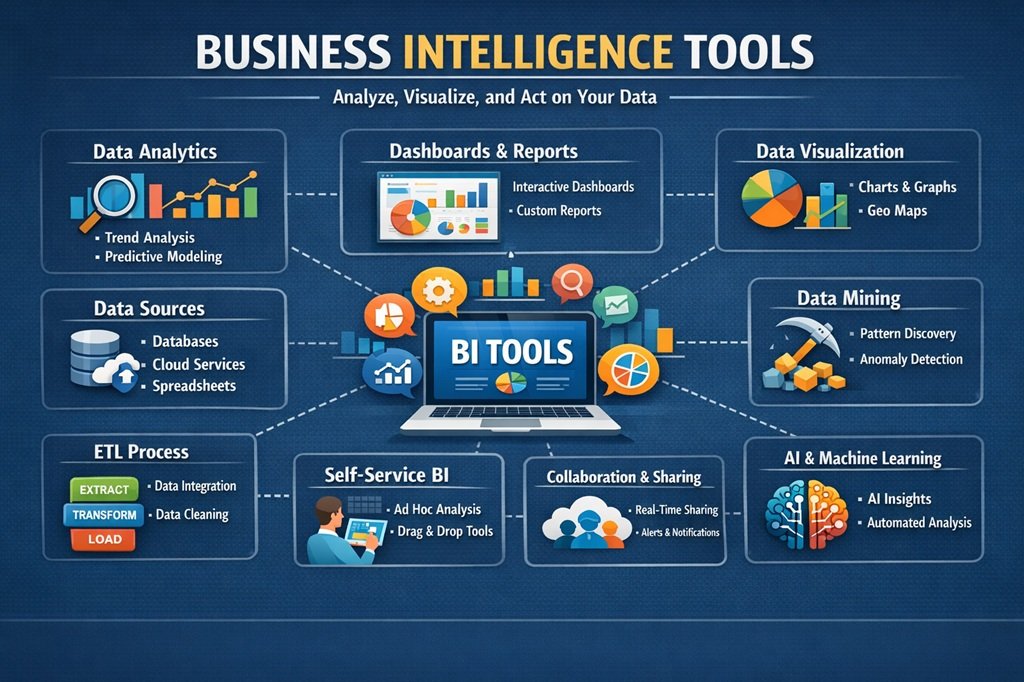
Why Business Intelligence Matters More Than Ever
The point is, running a business nowadays is like juggling flaming torches while riding a unicycle. You have data pouring in from every direction – your website, social media, email campaigns, and whatnot. Unless you have the right tools, it’s like flying blind. But here’s the thing: intelligent business owners don’t fly blind. They use tools that help them turn data into steps.
Business intelligence – it’s not some tech term reserved for big business. Nope! Small shops in Surat or anywhere else can seize these tools and start seeing results right away. And the cherry on top? Most of them can integrate with workflow automation. Think about it – your business intelligence setup can send emails, edit spreadsheets, or even control inventory. It’s like having an extra pair of hands that never gets tired.
These systems, which run like a well-oiled machine, save us hours a week. Forget Monday morning headaches trying to figure out what the numbers were last week. Instead, you can hit the ground running with valuable insights. But don’t take my word for it. Let’s dive into what makes a tool shine in such a crowded space.
What to Look for in a Solid BI Solution
Before we get into the good stuff, let’s cover the basics. You don’t buy a car without checking the engine, right? Well, it’s the same with these tools. Here’s a quick list of must-haves:
- Easy-to-use dashboards: Drag, drop, and done – no coding required.
- Real-time updates: Data that refreshes automatically so you’re never behind.
- Mobile access: Check insights on your phone while grabbing coffee.
- Integration superpowers: Connects to your CRM, email, or accounting software without drama.
- AI smarts: Spots trends or warns you about problems before they blow up.
- Affordable pricing: Starts low but scales as you grow.
With these tools, your team will be happy and productive. And, if the tool integrates with workflow automation, well, let’s just say it’s like having a business on autopilot. But, of course, with you behind the wheel.
Top Business Intelligence Bi Tools
We’ve managed to gather some of the best options that actual companies love in 2026. These Bi Tools are not just pretty faces; they work hard every day. We’ll go over each one with the pros and cons, and the feels. Keep in mind, the one we’re looking for is the one that feels like it was designed specifically for you.
Microsoft Power BI
If you’re already a Microsoft user, meaning you’re already immersed in their world with products like Excel, Teams, or Azure, then Power BI is like the friend you can always rely on. He or she will show up right on time. Power BI is super popular because it’s just so easy to use and gets along with everyone without requiring you to learn a new language.
Suppose you’re a shop owner and you want to keep tabs on your sales. With Power BI, you can do this in no time. Suddenly, you’re presented with gorgeous visualizations of what’s selling and what’s not. The AI component of Power BI? It will give you suggestions like, “Hey, you’re doing really well during weekends. Maybe you should stock up on this item?” What I love most about Power BI is how it connects with workflow automation. Suddenly, invoices start approving themselves, or you’re notified via text to order more stock. Small teams will love the free starter plan, and larger organizations will prefer the premium plan.
Of course, it excels in the Microsoft world, but that’s a small price to pay for this level of usability. People love the community forums as well – someone’s always available to lend a quick hand. If you’re sick of spreadsheets that can’t handle the heat, give this one a try. You’ll wonder how you ever managed without it!
Tableau
Ever wish your data could tell a story that everyone can understand just by glancing? Well, Tableau is here to save the day, just like a professional photographer who can turn dull facts into beautiful pictures. Although owned by Salesforce, there is no need to worry since it is still user-friendly for newbies.
Drag a field to the screen, and beautiful dashboards will appear. Click on a region on a map, and sales data will appear. It is great for presentations since, let’s face it, bosses love beautiful pictures more than data in a table.
One cool trick: it can handle large data sets without even breaking a sweat. Your marketing team can segment customer data by age group, geography, or even buying patterns in no time. And as far as workflow automation is concerned, Tableau can integrate with Zapier or other tools to send custom reports directly to Slack.
So here’s how it can look: a weekly summary dangling in your inbox that updates itself and even points out underperforming campaigns. You don’t have to beg anyone for updates anymore! The only problem is that it comes with a learning curve if you’re new to visualizations. But once you get the hang of it, it’s addictive. Companies say it improved their team collaboration overnight. Wow, who knew data analysis could be this much fun?
Qlik Sense
Qlik Sense is like having a detective on your team. The associative engine lets you click around freely. You don’t have to follow any set path. Want to know why sales have taken a dip? Click on the name of the product and see everything that’s connected to it appear before your eyes.
Ideal for teams that enjoy asking “what if” questions. The AI adviser even speaks to you in plain English. “Show me sales by region last quarter.” The answers appear as images right before your eyes.
Another area where workflow automation can really help is in keeping managers of busy teams happy. They swear by it because they don’t have to spend as much time searching for information.
The pricing is reasonable to start, and the app is smooth to use. In fact, one user told me it reduced their reporting time by 70 percent – that’s massive! If your data is all over the place, Qlik Sense brings it all together like a pro organizer. Just don’t expect it to coddle you as much as Power BI does – Qlik Sense is for curious people!
Looker
Designed for our cloud-first world, Looker (from Google) keeps everything clean and governed. Our data models are stored in code, which means they won’t break on us in the future. It’s like having version control for your insights – super convenient as you scale.
Analysts create reusable building blocks, and everyone else gets to explore safely. No more redundant reports or incorrect numbers. Plus, the integrated analytics let you embed directly into your app or website. Users love viewing their own stats without having to log in to another portal.
Connecting to workflow automation? Piece of cake using Google Cloud tools. Alerts are automatically sent to email or project boards. Picture this: a sales rep getting notified that a deal is ready to close. That’s the kind of juice you need to close more deals.
It’s a bit more technical in setup, but once you’re up and going, it’s smooth sailing. Startups that are growing are using Looker because it scales well without any issues. If you’re big on clean data and future-proofing, this is definitely a winner.
Sigma
It’s like Excel, but on steroids, with superpowers. People who dislike working with new software, like business users, fall in love with it. It’s like working with tables, but you’re working with live databases. No more IT tickets required!
You can build your own calculations, filters, and charts. It has a collaborative side, which allows you to work together in real-time, like Google Sheets. Yes, it integrates well with workflow automation. Push your insights into other apps or automate actions based on your data.
Teams using it have fewer errors, and the analysts love it. It’s also budget-friendly, which makes it perfect for mid-sized companies. Think of your finance team working on live forecasts. No more outdated spreadsheets ruining your meetings. It’s perfect because you don’t have to be a data nerd to have great results.
How These Bi Tools Stack Up Side by Side
Choosing feels overwhelming sometimes, doesn’t it? Here’s a quick comparison to clear the fog:
- Best for small teams on a budget: Microsoft Power BI – cheap entry and Microsoft love.
- Best for visual lovers: Tableau – storytelling at its finest.
- Best for curious explorers: Qlik Sense – click anywhere and discover.
- Best for cloud fans: Looker – governed and scalable.
- Best for spreadsheet users: Sigma – familiar feel with big power.
Each one boosts workflow automation in its own way. Test a few with free trials – most offer them. You’ll know the right fit when it clicks.
Tips to Get Started Without the Headache
Jumping in? Follow these simple steps:
- List your biggest pain points – slow reports? Scattered data?
- Pick two or three Bi Tools to trial.
- Connect just one data source first to test the waters.
- Train your team with short videos – most tools have free ones.
- Set up one automated workflow, like weekly emails.
- Review after a month and tweak.
Starting small keeps things from feeling overwhelming. Before you know it, your whole operation runs smoother.
FAQs
What exactly are Bi Tools and why do I need them?
Bi Tools are software that collect, analyze, and display your business data in easy ways. You need them because guessing leads to mistakes – these give clear facts fast.
Can Bi Tools really help with workflow automation?
Absolutely! Many connect to automation platforms so reports, alerts, and tasks happen by themselves. It’s a time-saver.
Are these Bi Tools expensive?
Not always. Some start free or under $20 per user. Scale up as you grow – perfect for any size business.
Which Bi Tool works best for beginners?
Microsoft Power BI or Sigma feel the most familiar. Their interfaces won’t scare you off.
How long does setup take?
Usually a few days if you start small. Most have helpful support chats too.
Do I need IT help to use Bi Tools?
Nope! Modern ones are built for regular folks. Drag-and-drop wins the day.
Conclusion
The best Bi Tools in the world’s top business intelligence software don’t just display numbers; they evoke ideas, save time, and connect everything through smart workflow automation.
Whether you’re a solo entrepreneur or a growing team leader, choose the one that suits your style and get started today! You’ll be wondering why you waited so long. The future of your business is not about working harder; it’s about working smarter alongside the best Bi Tool companions you can have.
So go ahead and try a free trial today! Your future self and your team will surely thank you. Here’s to a brighter and smoother tomorrow! What are you waiting for?

